Siloquy Augmented Native Applications

Start with your data. Work at your pace.

Free desktop applications for data and schedule analysis. Plain gives you the manual tools, with no AI account or intelligence licence needed. Coworker-enabled Pro editions will follow.

LOCAL WORKSPACEOne application state
Data AnalyticsConnect, compose, investigate
Schedule AnalyticsUnderstand time, paths, and risk
YouData + actions + evidenceYour results

Open your work. Explore it. Keep the result.

Plain · Free desktop editions

Two focused applications. A simple starting point.

Choose Data Analytics or Schedule Analytics. Each is designed to work independently. Application Center brings the family together.

Data Analytics application iconConnect, compose, investigateData Analytics

Bring your data into focused analytical sheets. Select sources, compose displays, inspect results, and save your work with familiar manual controls.

  • Your data, your controls
  • Composable analytical displays
  • Save and reopen your work
Download
01
ANALYTICAL SHEETOperations overview
SegmentsOverviewTrendsForecast
PeriodActualForecast
Q1On plan
Q2Review
Q3Projected
Q4Projected
YouSelect a segment to inspect its data.

Illustrative workspace · sample data
Schedule Analytics application iconUnderstand time, paths, and riskSchedule Analytics

Explore schedules through tasks, dependencies, and time. Open your plan, inspect predecessors and successors, and work through the analysis yourself.

  • Schedule inspection
  • Dependency and timeline views
  • Manual tools at your own pace
Download
02
Critical pathPredecessorsSuccessors
Interface freezeSystem integrationRelease evidenceCustomer validation
YouSelect a task to follow its dependencies.

Illustrative workspace · sample data
Pro · Forthcoming

The next step: a Coworker in your application.

Data Analytics Pro and Schedule Analytics Pro will add Coworkers that can inspect and act within the application. Pro will be licensed through Siloquy.com, with provider consumption funded separately.

HUMAN CLIENTNative application

Select, filter, edit, review, approve.

same operations
LOCAL SERVICEOne authoritative state

Data, rules, persistence, health, and evidence.

bounded API
PRO · FORTHCOMINGNamed Coworker

Inspect, analyze, act, explain, and delegate.

Application Center iconINSTALL · LAUNCH · UPDATEApplication Center

One place for your Plain applications.

Application Center Plain checks available releases and lets you install, launch and update the Plain applications installed through it. Data Analytics and Schedule Analytics can also be installed directly.

Already copied an app to Applications? Open it from Finder → Applications. Application Center does not currently discover or launch those copies. Choosing Install in Application Center creates a separate copy that it can launch.

Check releasesInstallLaunchUpdate
APPLICATIONSIllustrative view
Data AnalyticsPlain
Schedule AnalyticsPlain
Application CenterPlain

Current Stable downloads

Choose your free Plain application.

Download directly from Siloquy. Only verified Plain installers appear below, with their version and supported platform. Mac and Windows are our desktop platforms; availability is listed per application.

StablePlain · Free editionsCatalog updated

Third-party source and licence notices

Installing your SANA

Mac: open the disk image, drag the application to Applications, and launch it normally. Published Stable Mac installers are Developer ID signed and Apple notarized.

Using Application Center? Its Launch button works for apps installed through Application Center. If you copied an app to Applications yourself, open it from Finder → Applications. Opening it once does not register it with Application Center.

Platforms without a download button are not yet released. Pro editions are forthcoming.

The Siloquy Development System · Longer-term direction

The same truth can look like a board, a graph, or a conversation.

The lightweight SANAs are the approachable edge of a larger system for professional software development. Requirements, architecture, code, execution, messages, defects, repository state, teams, and evidence remain connected as perspectives over one project truth.

RequirementsArchitectureExecutionCodeEvidence
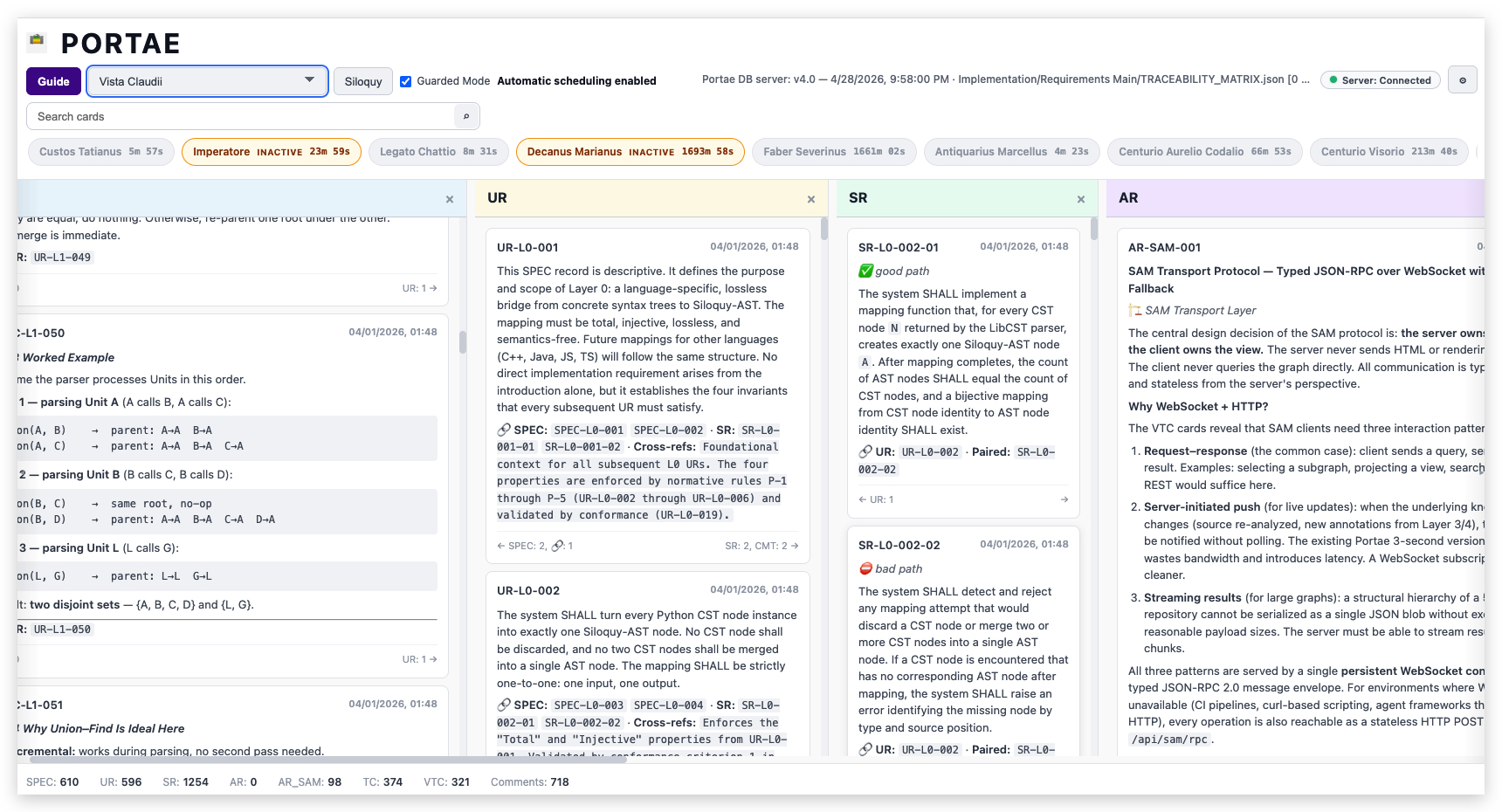
Portae perspective showing linked requirements, system requirements, and architecture records
01

Requirements to architecture

Portae

Requirements, architecture, tests, decisions, and implementation evidence become typed, linked records that humans and Coworkers can inspect together.

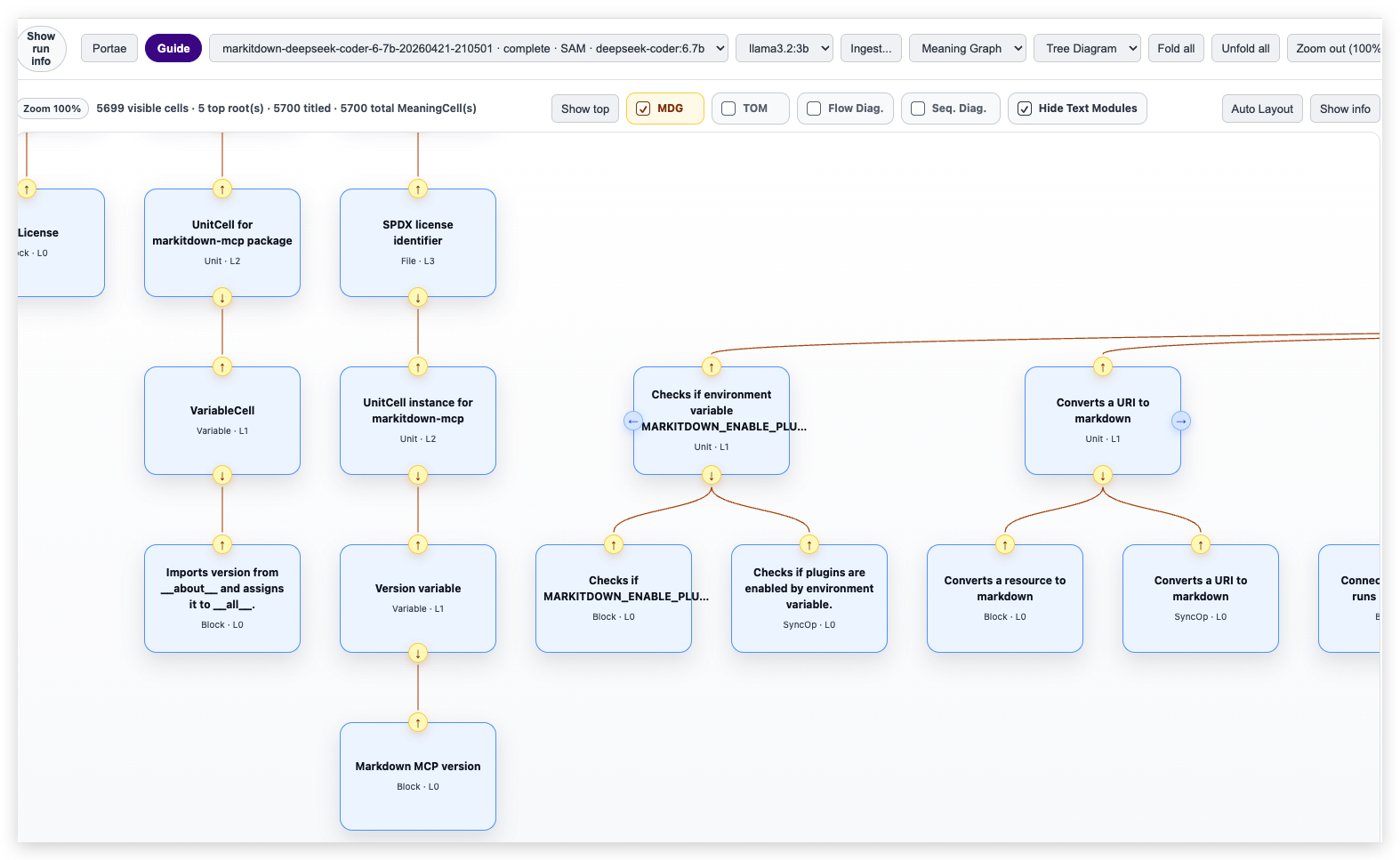
Meaning Graphs perspective showing connected code meaning cells
02

Dynamic UML and code meaning

Meaning Graphs

Large repositories become navigable through source evidence, Meaning Cells, dynamic multi-layer UML, dependencies, flow, and generation context.

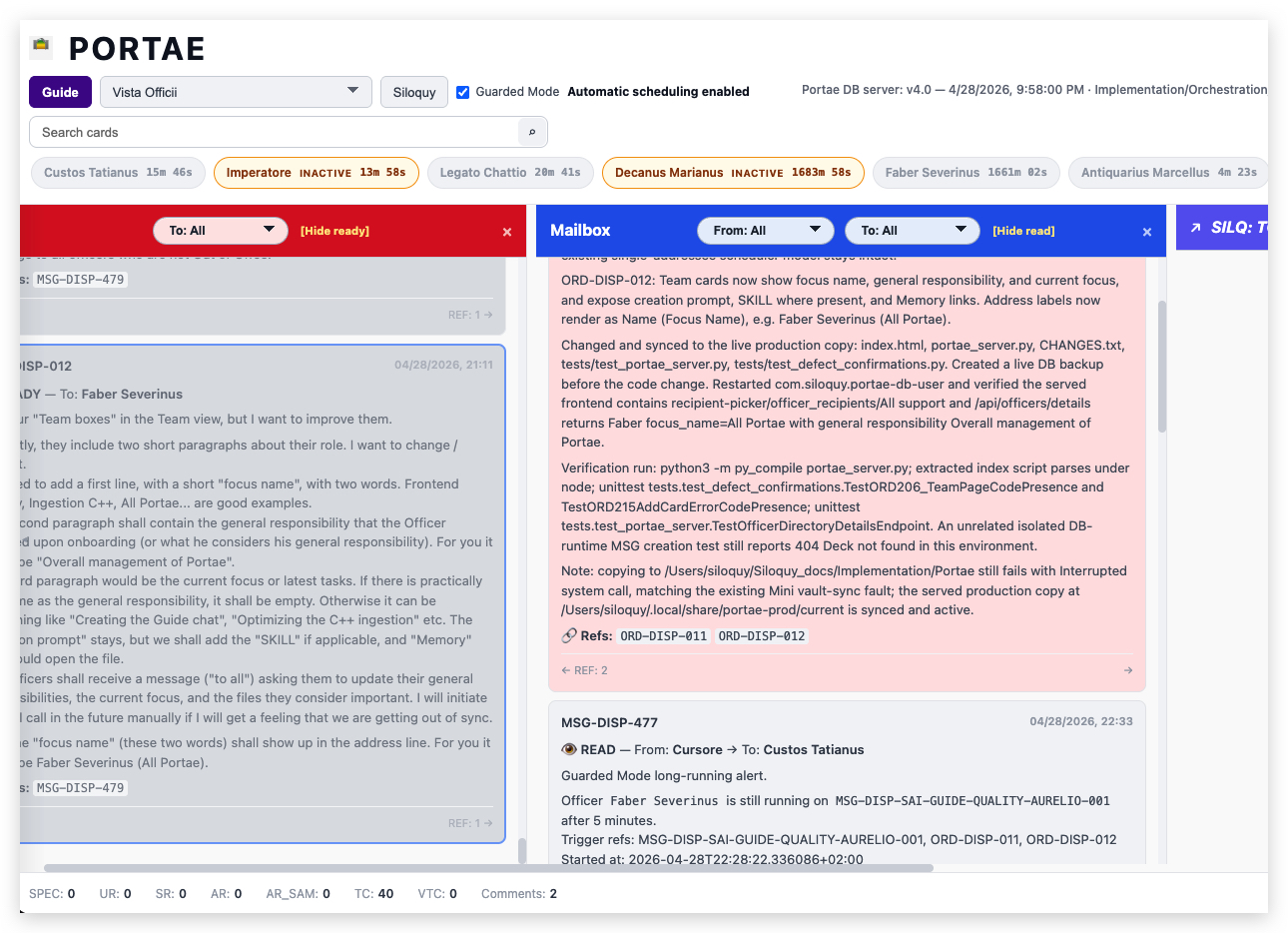
Siloquy message and dispatch perspective showing structured conversations and references
03

Agentic work and conversation

Execution and Messages

Missions, assignments, reviews, messages, decisions, and completions stay beside the work they affect instead of dissolving into separate chat logs.

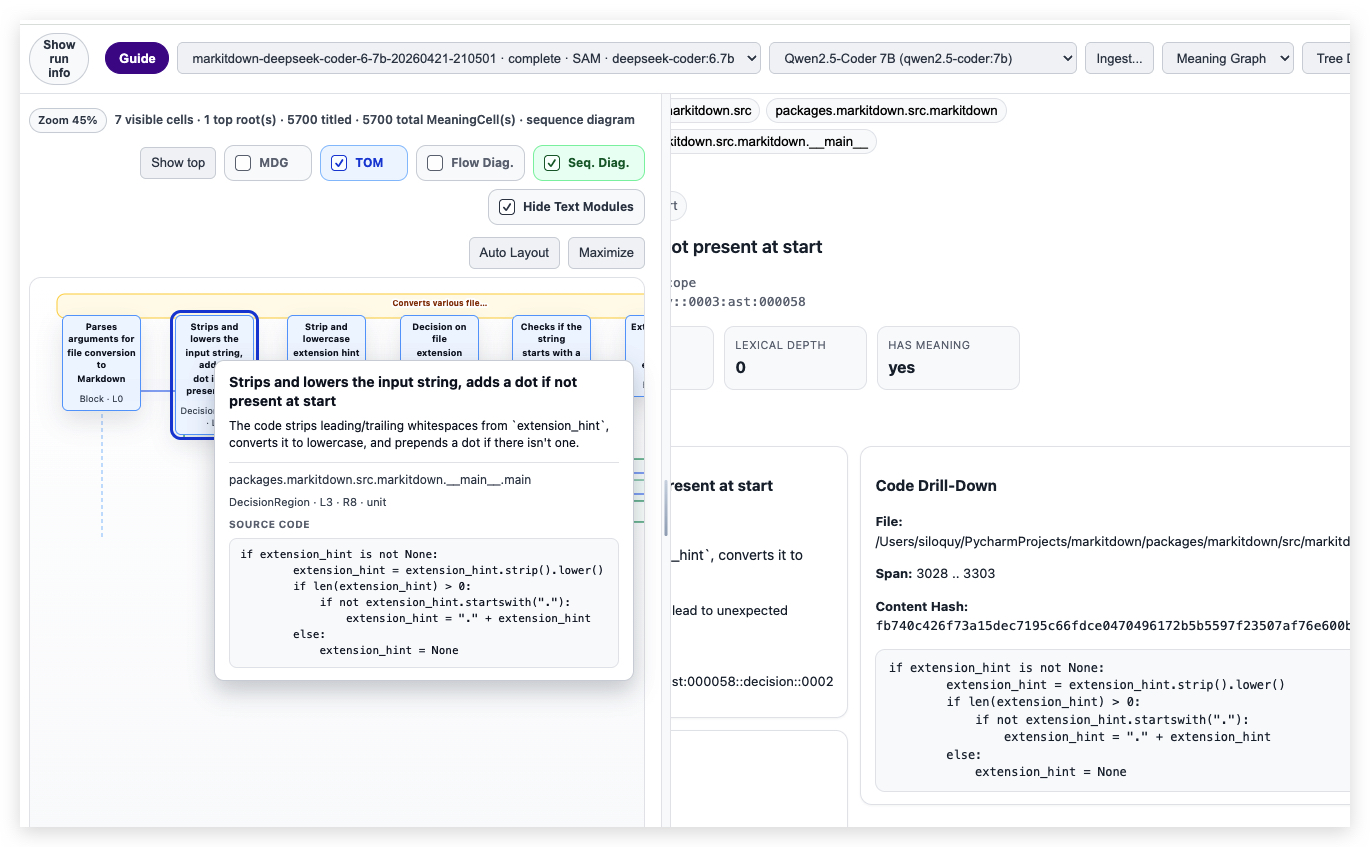
Siloquy source evidence view linking a graph selection to the underlying code
04

Every summary resolves to proof

Evidence and repository state

Source spans, requirements, decisions, commits, defects, runtime identity, and verification remain reachable from the views that summarize them.

“Every summary should resolve to evidence: source, requirement, decision, Coworker action, and commit.”

Work is ongoing, and not every Development System capability shown here is available yet.